Patents
Preparing your invention disclosure
For clients: what to send us so we can prepare your patent application quickly and accurately.
An invention disclosure is a confidential document that explains your invention to your patent attorney. The more complete it is, the faster and less costly it is to prepare a strong application. Your communications with your attorney are privileged, so sharing the invention with us is not a public disclosure (see Preserving Absolute Novelty).
What to include in an invention disclosure
- Title and summary. A working title and a few sentences describing what the invention is and what it does.
- The problem it solves. What was wrong with existing products or methods, and how your invention improves on them.
- Known prior art. Similar products, patents or publications you are aware of, including your own earlier work.
- How it works. A detailed description of each part or step, how the parts connect and interact, and how the invention operates from start to finish.
- What is new. The features you believe are different from anything that already exists, and the advantages they provide.
- Variations. Other materials, shapes, sizes, configurations or ways of carrying out the invention. Alternatives help us claim the invention more broadly.
- Drawings. See the guidance below for your type of invention.
- Inventors. The full name, residence and citizenship of everyone who contributed to the inventive features, and what each person contributed.
- Dates and disclosures. When the invention was conceived and first built or tested, and the date of any public showing, publication, sale, offer for sale or presentation. In the United States, filing more than one year after your own public disclosure bars a patent, and many other countries allow no grace period at all.
- Ownership. Your employer or company, and any employment, consulting, development or funding agreements that may affect who owns the invention.
Drawings by type of invention
Good drawings show every feature you describe. Label the parts and steps, and use the same names in the written description.
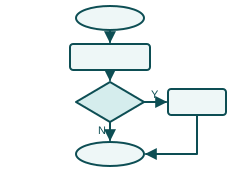
Software and methods
- Flowcharts of each process, including decisions and loops
- System or block diagrams showing servers, devices, modules and data flow
- Screenshots or mock-ups of user interfaces
- Describe the logic in steps; source code alone is not enough
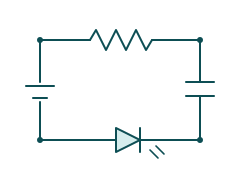
Electrical and electronic
- Circuit schematics with component values where they matter
- Block diagrams of the overall system
- Timing or signal diagrams for how the circuit operates
- Board layouts only where the physical arrangement is part of the invention
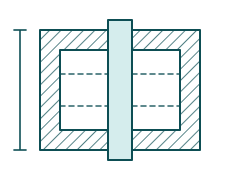
Mechanical: cross-sections
- Cross-section views that reveal internal structure, channels and moving parts
- Perspective views of the assembled device
- Views in different positions or operating states
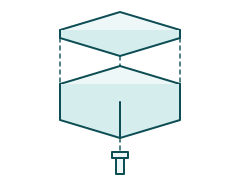
Mechanical: exploded views
- Exploded views showing how the parts fit together
- Every part numbered and named consistently
- Detail views of small but important features
File formats
We prefer drawings in a vector format such as SVG or PDF, exported directly from your CAD, circuit design or diagramming software. Vector files stay sharp at any size and can be turned into formal patent drawings faster and at lower cost than scans or photographs.
- Black-and-white line drawings work best; avoid color and gray shading where you can.
- Hand sketches and photos are fine for a first discussion, but please send vector files when they are available.
- Keep each figure on its own page or in its own file, and number the figures.
Design patents: the views we need
A design patent protects the ornamental appearance of a product, not how it works. In a design patent the drawings are the claim, so they must show the entire appearance completely and consistently. A standard set of views is:
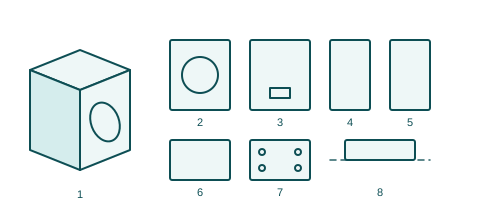
- Perspective view, showing the overall appearance in three dimensions
- Front view
- Rear view
- Left side view
- Right side view
- Top view
- Bottom view
- Broken lines show surroundings or parts you do not claim; solid lines show the claimed design
- Every view must match the others exactly; inconsistencies can make the design unclear and invalid.
- Surface shading helps show curves, flat surfaces and contours.
- Add a cross-section or enlarged detail view if a feature is not clear from the standard views.
- For a screen or app icon design, show the display or device in broken lines and the claimed graphic in solid lines.
- If you have CAD models, send them; we can generate the views from them.
Sending your disclosure to us
Email your invention disclosure and drawings to the address shown on our contact page, and mark them “Confidential.” Please do not show, publish, sell or offer the invention publicly before we have filed your application.